A tankless water heater offers homeowners the convenience of continuous hot water whenever needed, without the bulk of a traditional tank water heater. However, like any other appliance, it may occasionally experience issues that require a reset to restore normal operation. Understanding how to reset a tankless water heater is a crucial skill that can save time, money, and prevent unnecessary service calls.
This guide will walk you through the process of resetting a tankless water heater, help you troubleshoot common problems, and provide solutions to ensure your unit is working efficiently.
What is a Tankless Water Heater?
A tankless water heater is an on-demand system that heats water directly as it passes through the unit. Unlike traditional water heaters with a storage tank, tankless units provide hot water instantly and continuously, which makes them a popular choice for homeowners looking to save space and energy.
Most tankless water heaters come in two types: electric and gas models. The main difference is in the power source. Electric tankless water heaters use electricity to heat water, while gas units use natural gas or propane to generate heat.
Although these systems are designed to be reliable, they can sometimes encounter issues such as overheating, power disruptions, or sediment buildup, which can cause them to stop working or shut down. A simple reset can often fix many of these problems and restore the system to normal operation.
Step-by-Step Guide on How to Reset a Tankless Water Heater
Resetting a tankless water heater is often an easy and effective way to resolve common issues such as error codes, overheating, or power disruptions. Follow this guide to safely reset your unit and restore normal operation.
Safety Precautions Before Resetting Your Tankless Water Heater
Before performing any work on your tankless water heater, it’s important to take safety precautions. Here’s what you need to do:
- Turn Off the Power or Gas Supply
For electric tankless water heaters, turn off the power supply at the breaker box to avoid electrical shock. For gas models, turn off the gas valve to ensure safety while working on the unit. - Inspect for Gas Leaks (For Gas Units)
If you have a gas unit, check for any signs of gas leaks around the connections. If you smell gas, leave the area immediately and call a professional. - Check Water Supply and Pressure
Ensure that your water supply is turned on and there is adequate water pressure. Low water pressure can trigger error codes or cause the system to shut down automatically.
Locate the Reset Button
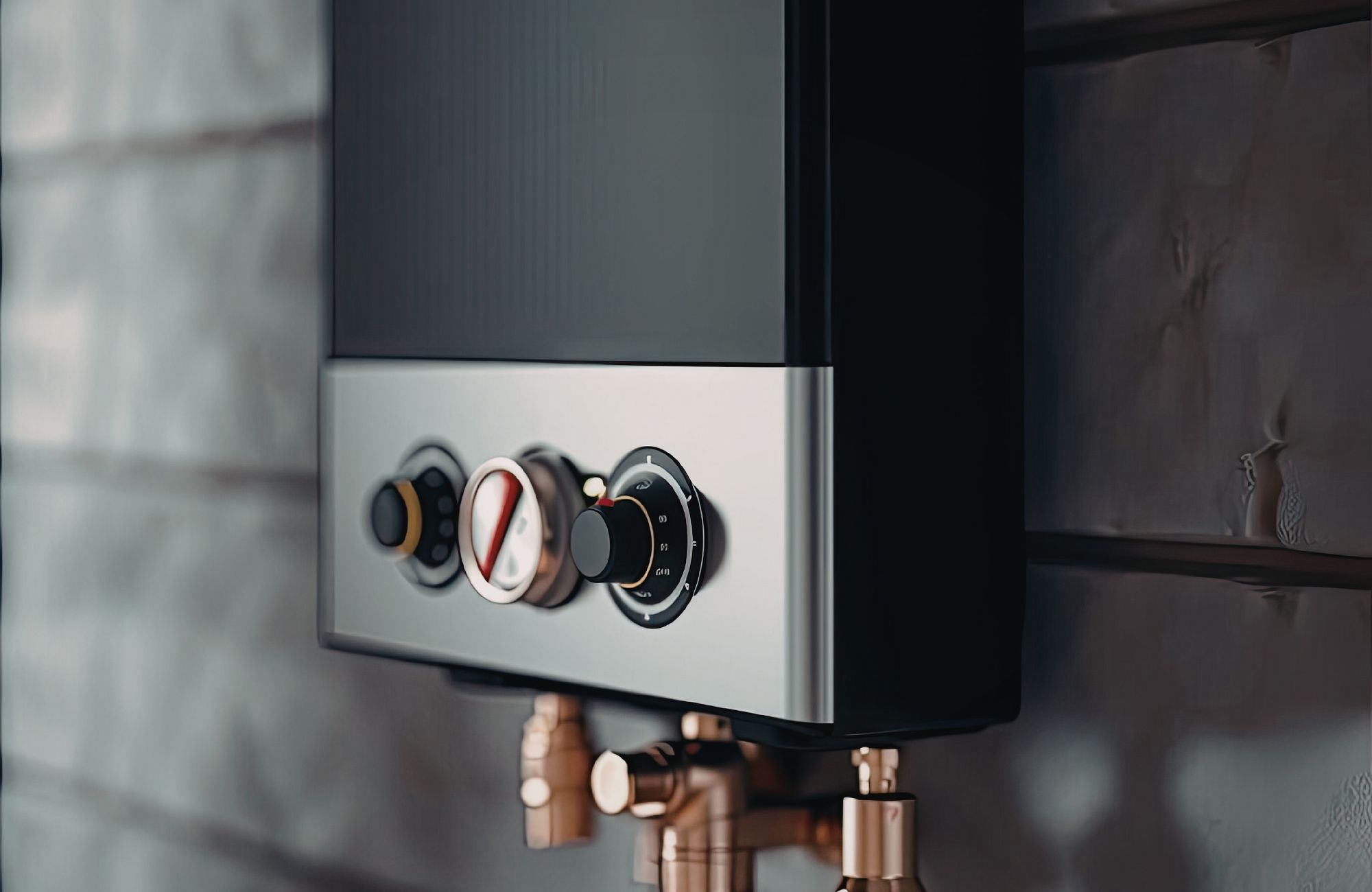
Most tankless water heaters have a reset button that can be used to restart the system when it encounters an issue.
- Gas Models: The reset button for most gas models is typically located on the control panel or inside the unit near the gas valve. You may need to remove a cover or panel to access it. Consult your manual for specific instructions on your unit’s model.
- Electric Models: For electric tankless water heaters, the reset button is often located on the control panel. It might be a small, red button that you need to press to reset the system. Some models also feature a thermostat reset if the unit has overheated.
Resetting the Tankless Water Heater
- Press the Reset Button: Press and hold the reset button for a few seconds. In some cases, the unit may automatically shut down and then restart. If your model has a light indicator, it may blink or change color to signal that the reset is in progress.
- Wait for the Heater to Reset: After pressing the reset button, wait a few minutes to allow the unit to reset fully. During this time, the unit will restore its normal operation, and the internal components, such as the control panel and thermostat, will recalibrate.
- Check for Hot Water: After waiting a few minutes, turn on your tap to check for hot water. If the water temperature is right and there are no error codes, your tankless water heater has been successfully reset.
Troubleshooting Tankless Water Heater Problems After Reset
Sometimes, a reset may not fix all the issues. Here are some common problems that can occur after resetting your tankless water heater, along with troubleshooting steps.
Error Codes
After resetting, if the unit displays an error code, it indicates a persistent problem that the reset couldn’t resolve. Error codes may refer to issues such as overheating, gas flow problems, or insufficient power supply.
- E1 or E2: Typically indicates a problem with the water flow or pressure.
- E3: Common in electric models, it usually points to a problem with the temperature sensor.
- E4: Often related to gas flow, check your gas line for obstructions or ensure there is adequate gas pressure.
If the error codes persist after resetting, refer to the unit’s manual or contact a professional for further inspection.
Water Pressure Issues
Low water pressure is a common reason why a tankless water heater might shut down or fail to heat water effectively. Check the water supply valve to ensure it is fully open and that there are no blockages in the water line. You may also need to check your home’s water pressure and adjust it if necessary.
Common Causes for Resetting a Tankless Water Heater
There are several common reasons why you might need to reset your tankless water heater. Let’s take a closer look at the issues that could trigger the need for a reset.
Overheating or Blocked Filters
Sediment buildup, especially in homes with hard water or city water, can cause your tankless water heater to overheat. When this happens, the unit may automatically shut off to protect itself.
- Solution: Perform a flush to clear any sediment or debris from the system. You can use vinegar or a descaling solution to clean the internal components of the unit.
Power Outages or Interruptions
Power outages or sudden power supply interruptions can disrupt the functioning of your tankless water heater, requiring a reset to restore normal operation.
- Solution: After a power outage, check the breaker to ensure the electrical supply is fully restored. Reset the system by pressing the reset button on the unit.
Pilot Light or Ignition Issues (Gas Units)
For gas models, the pilot light or ignition system may fail, causing the unit to stop functioning. This can happen if the gas line is blocked or the pilot light is out.
- Solution: Reignite the pilot light by following the manufacturer’s instructions. If the pilot light fails again, inspect the gas line and connections for any leaks or blockages.
Conclusion
Resetting a tankless water heater is a simple but crucial task for homeowners who want to maintain their unit’s efficiency and prevent costly repairs. By following the steps outlined in this guide, you can troubleshoot common problems like power outages, overheating, and error codes. Prestige Water Group is here. If your tankless water heater continues to malfunction after resetting, it’s best to consult a professional plumber to ensure your system is working as it should.
If you need expert plumbing support for your tankless water heater or other plumbing needs, don’t hesitate to contact us today. Our team of licensed and insured professionals is here to help you with 24/7 emergency plumbing services across Northern New Jersey.
FAQs
Is there a reset button on a tankless water heater?
Yes, most tankless water heaters have a reset button, usually located on the control panel or inside the unit.
Why is my tankless water heater not giving hot water?
Common causes include low water pressure, a gas supply issue, or an electrical failure. Resetting the unit may fix the problem.
Is there a reset button on a Rinnai tankless water heater?
Yes, Rinnai tankless water heaters have a reset button, typically located near the control panel.
Where is the reset button on a Rheem tankless water heater?
The reset button on a Rheem tankless water heater is usually located on the control panel or inside the unit near the thermostat.